
This guide shows you how to add a skill-based question, answer options, and the correct answer for competition websites using the new system.
This helps ensure your competition complies with promotional and raffle regulations.
Prerequisites: Before creating a competition product, make sure you have:
- Access to your website’s admin dashboard. Please see here on how to login.
- Questions and the correct answer
1. Enable the Question and Answer #
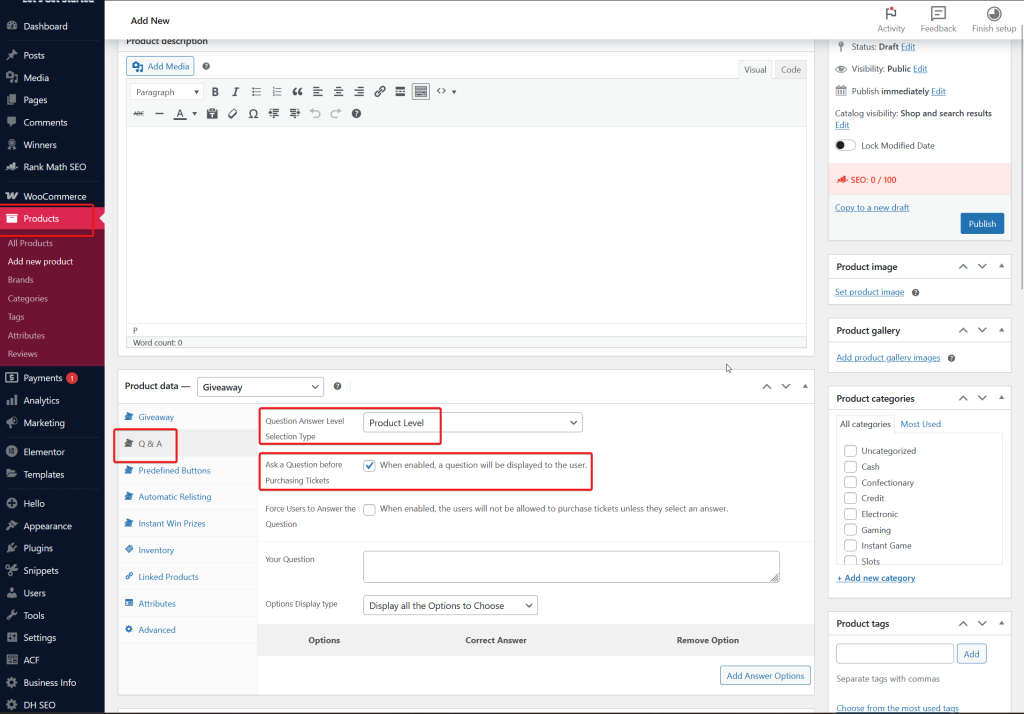
- Go to Products.
- You can select any existing product or in the process of creating a new competition.
- Go to ‘Q&A tab‘.
- Make sure the Product Data is set to Giveaway.
- Select ‘Product Level‘
- This ensure that the Q&A is unique for each competition.
- Tick the checkbox: ‘Ask a Question before Purchasing Tickets‘.
2. Adding the Question #
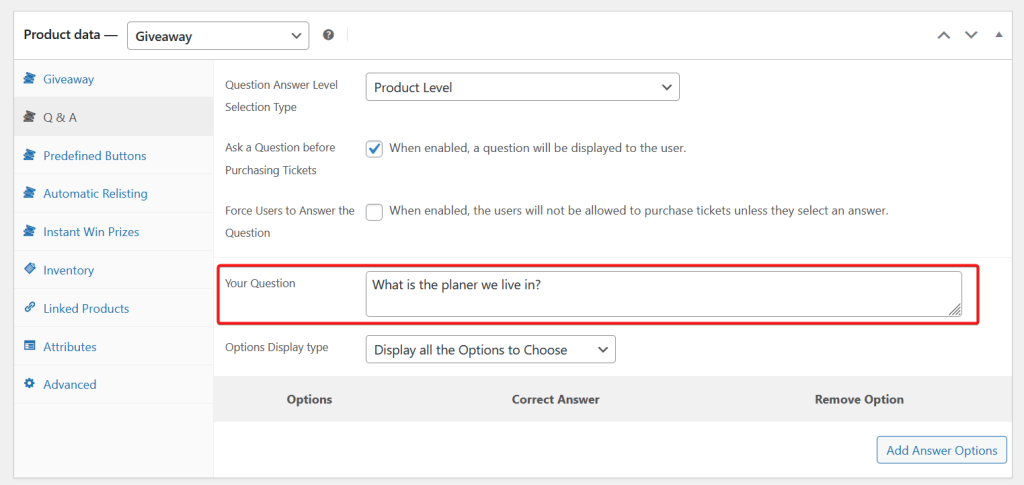
- Input the question on the ‘Your Question’ field.
- This accepts alphabet, numbers and special characters.
3. Adding the Answers #
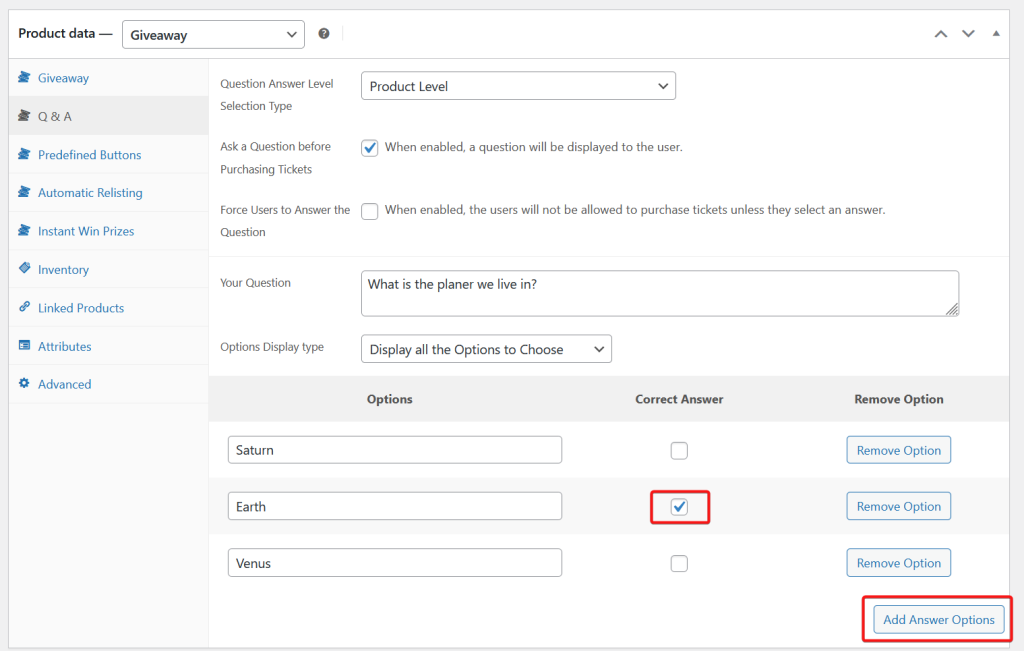
There is no minimum or maximum number of answers but we highly recommend having 3 answers.
- To add an answer, click the ‘Add Answer Options‘ button.
- Input the answers.
- Tick the checkbox of the correct answer.
4. Force the users to answer the Question #
This ensures that all users cannot purchase any ticket without answering the question.
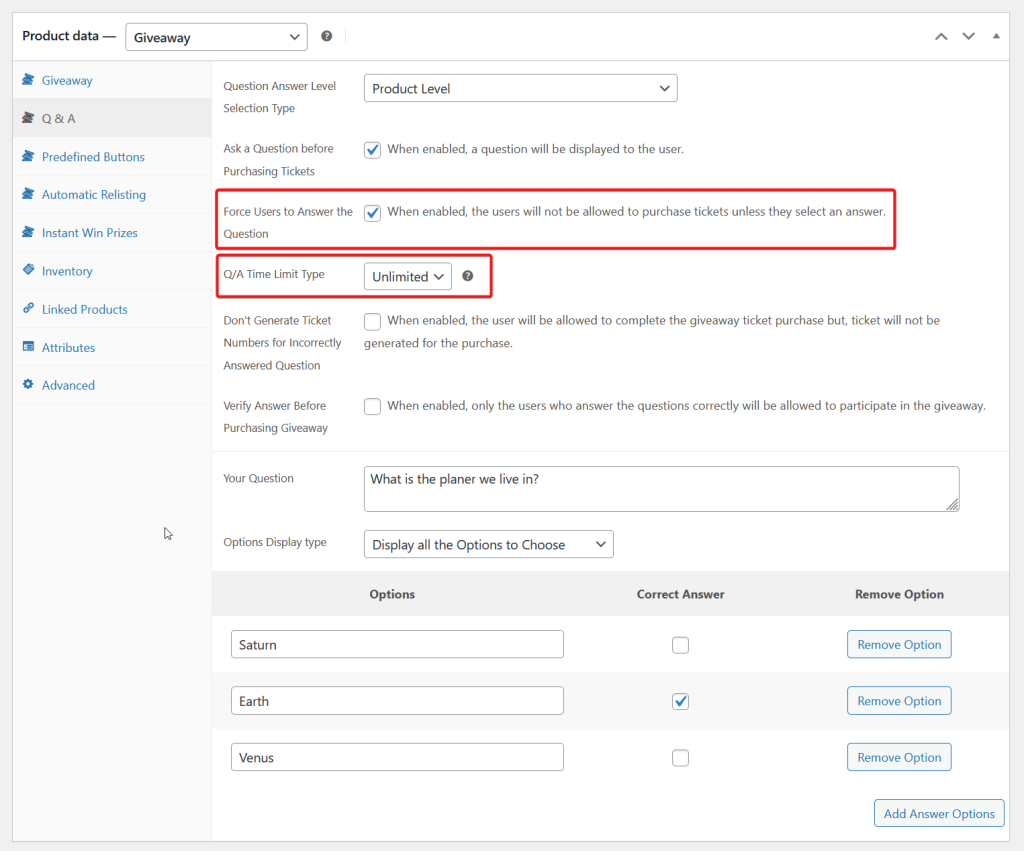
- Enable the ‘Force Users to Answer the Question‘ checkbox.
- Q/A Time Limit Type
- Unlimited: no time limit (we recommend this)
- Limited: there is a time limit for the users to answer the question.
- (Optional) Don’t Generate Ticket Numbers for Incorrectly Answered Question
- When enabled, the user will be allowed to complete the giveaway ticket purchase but, ticket will not be generated for the purchase.
- ❗We do not recommend this.
- (Optional) Verify Answer Before Purchasing Giveaway
- When enabled, only the users who answer the questions correctly will be allowed to participate in the giveaway.
And that’s it! Users should now see a question and answers on the front-end on each competition.


